

Intro
For businesses selling digital products and services, navigating European Union (EU) VAT rules can feel complicated. The EU has clear regulations on how value-added tax (VAT) applies to electronic supplies, from software and apps to online courses and subscriptions. Understanding when and how to charge VAT is essential – not just to stay compliant, but also to build trust with your customers and avoid potential penalties. Accurate VAT calculation sits at the heart of this process, ensuring that the correct tax rate is applied based on the customer’s location, the type of digital product, and the applicable EU member state rules. Mistakes in VAT calculation can lead to costly audits, backdated liabilities, and damaged customer relationships.
This guide breaks down the key aspects of VAT for digital goods and services in the EU, helping businesses simplify compliance and manage their sales across multiple member states.
Understanding VAT rules for digital goods and services
The first step is understanding how VAT applies to digital goods and services sold across borders in the EU. Since 2015, businesses must charge VAT based on the customer’s location, not the seller’s. In practice, this means if you sell digital services to EU customers, you must apply the VAT rate of each customer’s country.
It’s also important to know whether what you sell counts as a digital service. This generally includes electronically delivered products such as software downloads, mobile apps, streaming services, music, e-books, online courses, and webinars. Physical goods or in-person services are not treated as digital services for VAT.
To make sure you’re handling VAT correctly, review the official guidance from the European Union or speak with a tax professional who understands VAT for digital businesses.
Who the EU VAT rules apply to
EU VAT rules for digital services apply to any business selling digital products to customers in EU countries, no matter where the business is based. Even if your company is outside the EU, you still need to follow EU VAT rules when selling to EU consumers.
These rules apply to everyone – not just large companies. Freelancers, small startups, and solo entrepreneurs must comply too. If you sell things like online courses, software, apps, or subscriptions to EU customers, VAT rules apply to you.
Not following the rules can lead to fines or other legal issues, so it’s important to understand your responsibilities and handle VAT correctly.
VAT registration requirements for digital service providers
Once you confirm that your business sells digital services to EU consumers, you’ll usually need to register for VAT.
If your business is based outside the EU, there is no sales threshold – VAT applies from your first sale. You must register under the EU’s One Stop Shop (OSS) system and charge VAT based on each customer’s country, making accurate VAT calculation essential from day one.
Instead of registering in every EU country, you register once in a single EU member state, file one quarterly VAT return, and pay all VAT through that portal.
Registering ensures you stay compliant, charge the correct tax, and avoid penalties. Using VAT software or working with a tax professional can make tracking rates and reporting much easier.
How to automate the VAT calculations based on the buyer’s IP country
Automatically calculating the VAT depending on the country of the buyer’s IP address can greatly reduce friction when making a purchase online.
In the example below, we’ll use a PHP web page to retrieve the IP address of the buyer.
Then, we’ll pass the IP address to the IP2Location.io free API to retrieve the country where the IP address originated from.
Once we have the country, we can compare using a country-to-VAT mapping to use the correct VAT rate. From there, we can calculate the VAT amount due and that’s basically it.
Pre-requisite for our coding example
Before we proceed with the PHP codes, make sure that you have signed up for a free IP2Location.io API key. With this free API key, you can query up to 50k IP addresses per month to retrieve basic geolocation data such as country codes.
Example PHP code for your web page
Let’s create a page called vat.php and paste the code below into it.
<?php
// VAT rates from https://validon.eu/vat-rates-by-country/, remember to update whenever the rates are changed.
$euVatRates = [
    "AT" => 20, // Austria
    "BE" => 21, // Belgium
    "BG" => 20, // Bulgaria
    "CY" => 19, // Cyprus
    "CZ" => 21, // Czech Republic
    "DE" => 19, // Germany
    "DK" => 25, // Denmark
    "EE" => 24, // Estonia
    "ES" => 21, // Spain
    "FI" => 25.5, // Finland
    "FR" => 20, // France
    "GR" => 24, // Greece
    "HR" => 25, // Croatia
    "HU" => 27, // Hungary
    "IE" => 23, // Ireland
    "IT" => 22, // Italy
    "LT" => 21, // Lithuania
    "LU" => 17, // Luxembourg
    "LV" => 21, // Latvia
    "MT" => 18, // Malta
    "NL" => 21, // Netherlands
    "PL" => 23, // Poland
    "PT" => 23, // Portugal
    "RO" => 21, // Romania
    "SE" => 25, // Sweden
    "SI" => 22, // Slovenia
    "SK" => 23, // Slovakia
];

//////////////////////////////////////////////////////////////////////////////////////////////////////////////////////////////////////////
/////////////////////////////////////// MODIFY THESE VARIABLES FOR YOUR OWN VALUES ///////////////////////////////////////////////////////
$apiKey = "YOUR_API_KEY"; // paste your IP2Location.io API key here
$price = 395.95; // price before tax
$buyerVatId = ""; // if buyer is a consumer then leave this empty, if buyer is a company with a valid VAT ID then fill in this variable
$billingCountry = ""; // the ISO 3166 country code from the billing address of the online order
//////////////////////////////////////////////////////////////////////////////////////////////////////////////////////////////////////////

$billingCountry = strtoupper($billingCountry); // needs to be in uppercase to match the IP country from the IP2Location.io API

if ($buyerVatId) {
    echo "Buyer is a company with valid VAT ID. VAT is handled by themselves via reverse charge mechanism.</br>\n";
} else {
    $buyerIP = getBuyerIP(); // retrieve buyer's IP address
    if ($buyerIP) {
        $buyerCountry = callIP2LocationIO($buyerIP, $apiKey); // querying the IP2Location.io API to retrieve the IP country

        if ($buyerCountry == "-") {
            echo "No country detected for that IP address.</br>\n";
        } elseif ($billingCountry !== $buyerCountry) {
            echo "Location mismatch ($billingCountry vs. $buyerCountry) - manual review required.</br>\n";
        } else {
            if (isset($euVatRates[$buyerCountry])) {
                $priceCents = (int) round($price * 100);
                $rate = $euVatRates[$buyerCountry];
                $vatCents = (int) round(($priceCents * $rate) / 100);
                $vat = $vatCents / 100;
                $totalCents = $priceCents + $vatCents;
                $finalPrice = $totalCents / 100;
                echo "Price Before VAT: " . number_format($price, 2) . "</br>\n";
                echo "VAT: " . number_format($vat, 2) . " ($rate% in $buyerCountry)</br>\n";
                echo "Price After VAT: " . number_format($finalPrice, 2) . "</br>\n";
            } else {
                echo "Buyer ($buyerCountry) is not in the EU.</br>\n";
            }
        }
    } else {
        echo "Invalid IP address.</br>\n";
    }
}

function callIP2LocationIO($ip, $key)
{
    $ch = curl_init("https://api.ip2location.io/?ip={$ip}");

    curl_setopt_array($ch, [
        CURLOPT_RETURNTRANSFER => true,
        CURLOPT_HTTPHEADER => ["Authorization: Bearer {$key}"],
        CURLOPT_TIMEOUT => 10,
    ]);

    $response = curl_exec($ch);

    if ($response === false) {
        curl_close($ch);
        return "-";
    }

    curl_close($ch);

    $data = json_decode($response, true);

    // ISO 3166 country code for the queried IP address
    return $data["country_code"] ?? "-";
}

function getBuyerIP()
{
    // checking for IP addresses behind proxy servers, in case the buyer is using a proxy server
    $keys = [
        "HTTP_CF_CONNECTING_IP", // Cloudflare
        "HTTP_X_REAL_IP", // Nginx proxy
        "HTTP_X_FORWARDED_FOR", // Standard proxy header
        "REMOTE_ADDR", // Fallback
    ];

    foreach ($keys as $key) {
        if (!empty($_SERVER[$key])) {
            $ips = explode(",", $_SERVER[$key]);

            foreach ($ips as $ip) {
                $ip = trim($ip);

                if (filter_var($ip, FILTER_VALIDATE_IP)) {
                    return $ip;
                }
            }
        }
    }
    return null;
}
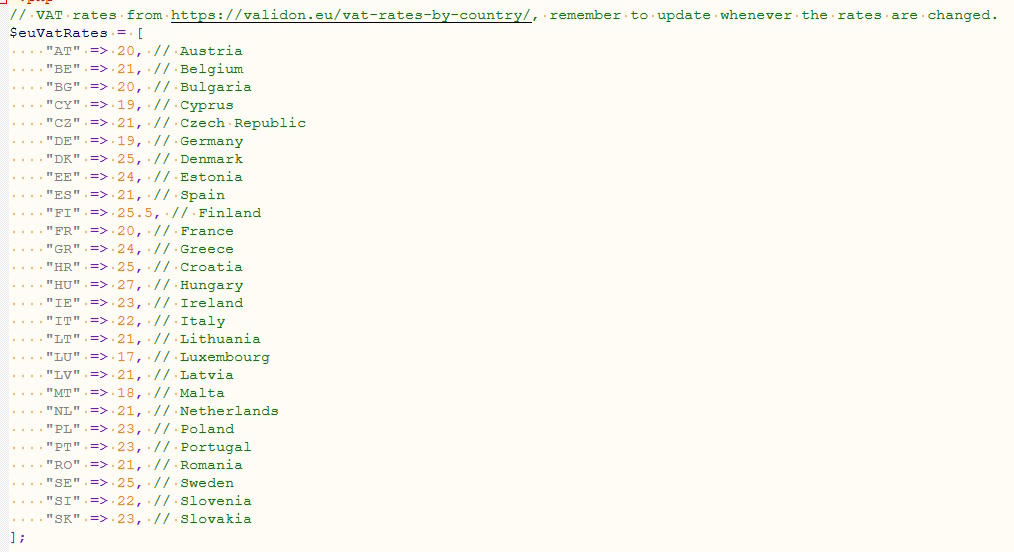
Going through the codes, you can see that we have a list of country code to VAT rate mapping. This will need to be updated whenever any rate changes. Our rates were taken from the Standard VAT rates by EU country page.
Next up, you can see a few variables where you need to input values. The apiKey variable should contain the free API key from the IP2Location.io API that you have signed up for earlier. This will be the only static value here.
The other 3 variables should be getting values from your online checkout page. The price variable should be the pre-tax price. If you’re selling to a consumer, then leave the buyerVatId variable blank. If you set it to any value, the code will treat the case as a Business-to-Business (B2B) case where the VAT is handled by the buyer themselves. The last variable is the billingCountry which should be the ISO 3166 country code for the billing address in the online order.

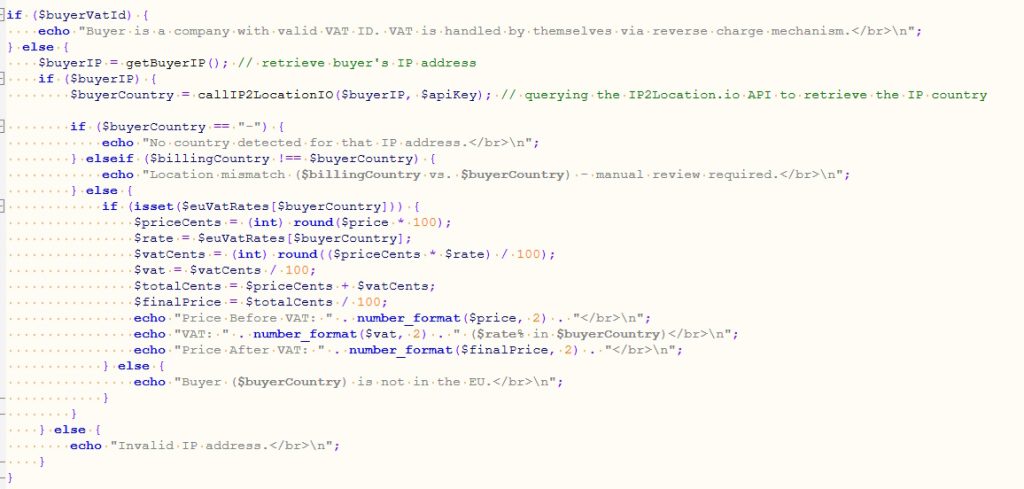
Moving down, you can see the actual algorithm for checking and calculating the VAT. We first check if there is a buyer’s VAT ID specified and if there is, we won’t bother calculating the VAT as the buyer is supposed to take care of that.
When there is no VAT ID specified, we can assume that it’s a Business-to-Consumer (B2C) case where we must calculate the VAT during checkout. Then, the code passes the buyer’s IP address to the callIP2LocationIO function that will query the IP2Location.io API to retrieve the country code associated with that IP address.
Once, we get the result from the API, we can check if that country code matches the billing address. If it does not match, then we abort the calculation as the digital VAT calculation requires 2 pieces of evidence of the buyer’s country.
On the other hand, if both the IP country and the billing country matches, that is considered sufficient evidence to proceed with the VAT calculation. We will retrieve the appropriate rate based on the IP country and then calculate the VAT and final pricing accordingly.
Below are some of the outputs you will see when using this example code for the various scenarios.




Conclusion
The above code is just a very basic example of how you can automate the VAT calculations upon checkout online. It may not cover all cases, but it should be relatively easy to modify the code to fit any real-life situation.
THE POWER OF IP GEOLOCATION API
Find a solution that help in your business.